Include the agreed handover in your project fee. If a client asks for extra sorting, naming, uploads or recipient support, describe the extra work and agree its price before you start. Estimate the minutes you will spend working, show any agreed expenses separately and give the client a collection date.
Suppose you promised a photographer’s client one folder of approved pictures. The client now wants a folder for each shop, with its own selection and filenames that match the shop’s stock list. The same pictures might fit in the same upload. Matching each picture to a stock code is where the extra work lies.
What did the original fee cover?
Start with the delivery sentence in the accepted brief. Look for the files, formats, folder structure, recipients and collection window you promised. If it says “one folder of final JPEGs and one download link”, budget time to prepare and check that folder. If it simply says “digital delivery”, ask the client what they expect before putting a figure on anything extra.
A fixed handover fee works well when you know the output, such as three named folders and one contents list. An hourly estimate with an agreed ceiling can suit an untidy archive where some files have no identifying names. Offer the client a point at which you will stop and ask for instructions. Business.gov.au’s guide to preparing quotes recommends describing the work and itemising costs and variations.
How do you fill in a file delivery estimate?
Copy the worksheet below into your estimate. Write down what the client will receive and count the minutes for each task once. Where the original fee already covers some of the work, put those minutes in the included column. The example figures are planning assumptions for one job. Substitute your own timings and agreed rate.
| Task and output | Total minutes | Included minutes | Extra minutes |
|---|---|---|---|
| Match approved pictures to the client’s stock list | 30 | 0 | 30 |
| Name the files and build three shop folders | 25 | 10 | 15 |
| Set up the transfer and write collection instructions | 10 | 10 | 0 |
| Check each folder against its list and confirm delivery | 10 | 5 | 5 |
| Total | 75 | 25 | 50 |
In this example the extra labour estimate is 50 ÷ 60 × your agreed hourly rate. Keep the fraction until you calculate the amount. Add any direct expense the client has agreed to cover, showing the amount and what it buys. If there is no extra expense, enter zero. The finished line on the estimate might read “Match approved pictures to stock codes and supply three checked shop folders”.
Record transfer time separately for scheduling. A two hour upload that runs while you edit another job does not add two hours of active work to that worksheet. If the client requires you to attend a supervised upload or reserve a machine exclusively, explain the reservation and agree how it will be priced before booking it.
What can you send the client before doing the extra work?
“Your project fee includes the final JPEG folder and one link. I can also match the images to your stock list and split them into three shop folders. I estimate 50 minutes of extra work at our agreed rate, with no additional transfer expense. Please confirm the stock list and the amount shown on the estimate. If I find pictures without a matching code, I’ll send you a list before spending more time on them.”
Add the delivery date, the date the link expires and the amount in the client’s currency. A client can then approve the extra folders, supply a better list or collect the original package. For a look at how to turn that description into an estimate, FreshBooks demonstrates its estimate screen in the video below. You can use the same worksheet in a spreadsheet or email.
Which delivery costs belong on the estimate?
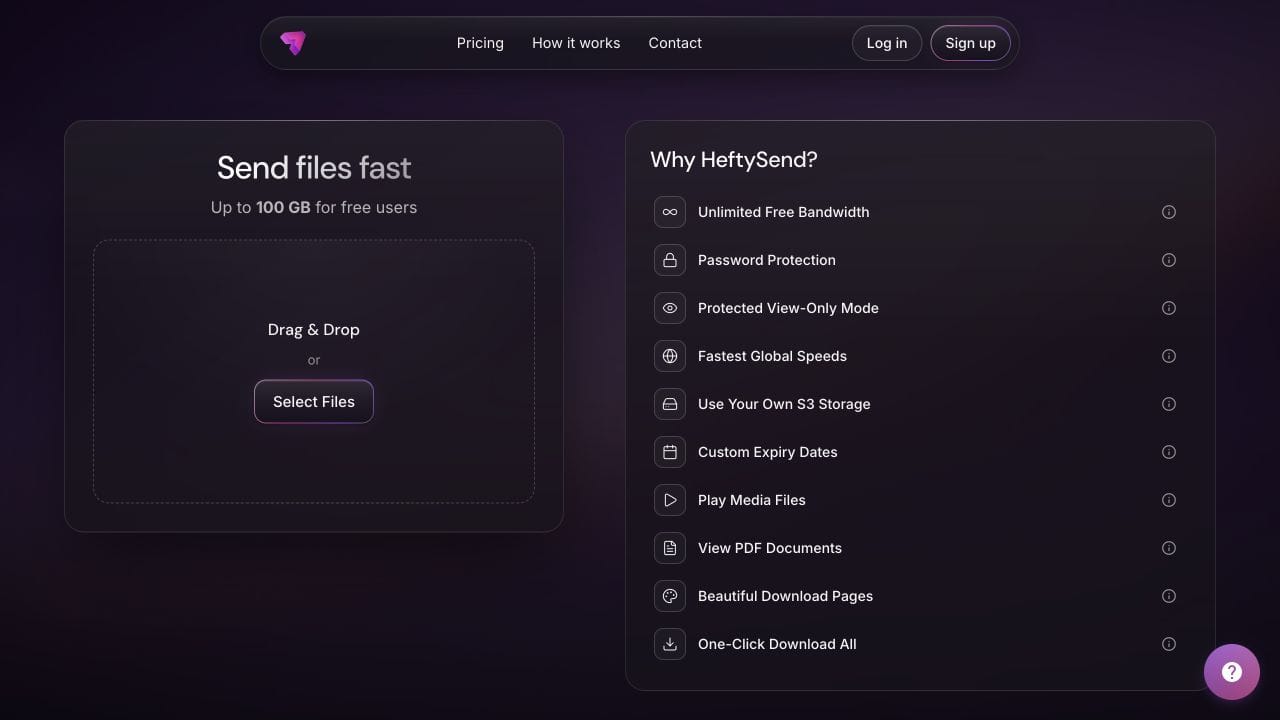
Check the package size and the agreed collection window before including a service expense. HeftySend Free supports up to 100 GB per transfer with three days to collect. Recipients can download without an account. HeftySend charges no bandwidth fees, so another download does not create a HeftySend bandwidth expense to pass on.
If you use your own storage, check your provider’s storage, request and data delivery charges. State any allocation you agree with the client. A monthly subscription shared across several jobs may already be covered by your project fees. See the guide to calculating your own storage costs for the underlying figures.
Paid HeftySend plans offer custom download pages. If the brief calls for a branded page, include the time to add the right instructions and check them. Supported files can show a preview, which helps a shop manager recognise a picture before saving it. The file preview tutorial lists supported formats. Check current HeftySend plan details when agreeing the collection window.

Frequently asked questions
What if only some files have usable names?
Inspect a small selection with the client and agree which reference list to use. Price the files you can identify, then give the client a choice about researching or excluding the rest.
Can I give a fixed price when the file count might change?
Specify a quantity and a condition for a fresh estimate. For example, quote for the approved list received on Friday and ask for approval if another batch arrives.
What if the client supplies a replacement after delivery?
Check the revision allowance and what prompted the replacement. Correct a mistake in your own package promptly. For a new client version, explain any checking, repackaging and notification work before agreeing the cost.
Does an expired link justify a second fee?
First establish what recovery involves and what collection period you promised. Resending an active link takes different effort from retrieving files from an archive. Tell the client which service you can provide and when the replacement will expire.
How should I record the actual time afterwards?
Keep the estimate alongside the minutes you spent sorting, preparing and checking. Use the difference to improve your next estimate. For a fixed fee, keep the price you agreed unless the client approves a change.