A file transfer service is not a complete backup plan. An uploaded copy can help deliver work, but you still need retained copies you can recover independently of the transfer link. Confirm what was copied, where it is stored and whether it can be restored before deleting originals or reusing camera cards.
“The upload finished” answers one question: did the delivery reach the service? It does not establish that every source file was included, that the client saved it or that you can recover the project after a drive fails.
What is the difference between a transfer and a backup?
A transfer moves a chosen set of files to a recipient. A backup preserves a recoverable copy for when the working copy is lost, damaged or changed unintentionally.
| Purpose | Question to answer | Evidence to keep |
|---|---|---|
| Delivery | Can the intended recipient collect the agreed files? | File list, delivery link and receipt confirmation |
| Backup | Can you recover the required files if the working copy fails? | Backup locations, successful job records and restore checks |
| Archive | What will be retained for future use, and for how long? | Agreed contents, retention period and responsible owner |
These jobs can share tools, but they have different success criteria. A client delivery may contain only a finished film. Rebuilding the edit could also require original footage, audio, graphics, project files and other dependencies that were never in that delivery.
Why is an available download link not enough?
A link is a route to a copy, not a guarantee that the copy will remain available when you need it. Availability can depend on expiry, account access and the storage behind the link.
HeftySend’s expired link guidance says expired transfer files cannot be recovered from HeftySend. A new delivery requires a retained copy. If the link was your only remaining copy, an earlier successful upload does not solve that loss.
Longer availability is useful for delivery, but it still needs separate recovery planning. Use our guide to choosing a collection window for deadlines. Do not assume that a plan change, deleted storage object or lost account access will leave every long lived link unaffected.

What makes a backup independent?
An independent backup should remain useful when the original copy or its storage fails. Two folders on one physical drive do not protect against that drive failing, and two links to the same stored object are not two separate copies.
The Canadian Centre for Cyber Security’s backup guidance recommends three copies of important information: the original and two backups, across two media types, with one copy away from the primary location. It also recommends testing backups.
Use that as a starting point for your recovery plan. Think about shared risks: a single bag can be stolen with both drives inside, while one compromised account may expose several connected copies. Choose appropriate separation and access protection for the work.
Keep a short record of what each backup covers. A green success message for a laptop backup is not evidence that an external footage drive was included. Check the selected folders, exclusions, most recent completed job and how you would recover the files.
What should you check before reusing camera cards?
Verify your retained copies and project inventory before treating a camera card as reusable. Client receipt is a separate check and does not replace your backup procedure.
- Identify the complete source set. Record the shoot, card identifiers, expected folders and file counts. Preserve the card structure where the camera format or editing workflow requires it.
- Complete independent copies. Use your agreed backup workflow and confirm that each required destination finished successfully. A queued or running copy is unfinished work.
- Check completeness and integrity. Compare the copied inventory with the source. Where your copying tool supports checksum verification, review its result. Matching counts alone do not establish that every byte copied correctly.
- Open material from the retained copy. Confirm that important clips and project dependencies can be read. Spot checks are useful but do not prove every file is intact.
- Confirm the handover separately. Ask the recipient to check the agreed delivery and report missing or unreadable files. Keep the delivery record alongside your copy records.
- Resolve exceptions before clearing anything. Missing files, incomplete jobs and uncertain verification are reasons to stop and investigate. Follow the project’s media handling procedure before formatting a card.
Imagine a camera operator delivering a finished edit while retaining the camera originals. The client can receive the film successfully even if one original card was omitted from the operator’s backup. The delivery and source inventory checks answer different questions. This is an illustrative scenario, not a test performed for this article.
How do you check that a backup can restore files?
Restore a representative file or project into a separate test location and check the result without overwriting the working copy. Knowing how to retrieve it matters as much as knowing where it was stored.
For a project, check that the restored project opens and its required media is available. Record the backup used, the date of the check and any missing dependencies. A small restore check does not establish how long a complete recovery will take, so plan the larger recovery process too.
Mac users can use Time Machine for automatic backups to suitable storage. Apple’s Time Machine documentation explains setup and restoration and notes that the oldest backups are deleted when the backup disk fills. Check that the files you need are included; a backup history is not an indefinite archive of everything you have ever deleted.
Apple Support’s video demonstrates setting up Time Machine and starting a backup. It is a backup tool demonstration, not a HeftySend transfer test or a complete archive policy.
Watch Apple Support’s Time Machine backup demonstration.
How long should you keep completed client projects?
Agree the retention arrangements for the actual project. There is no single period that fits every delivery, client relationship and type of material.
Separate three commitments in the project record:
- Transfer availability: how long the client can use the delivery link.
- Working file retention: which originals, edits and dependencies you will keep after handover.
- Archive service: whether you have agreed to maintain material for future retrieval, who pays for that work and how retrieval is requested.
State which files are included, the agreed end date, the person responsible and how changes will be communicated. A promise to keep a final export is different from a promise to preserve an editable project. Apply any requirements relevant to the project rather than treating a transfer plan’s expiry as a universal retention rule.
Where does HeftySend fit in this workflow?
Use HeftySend to deliver the checked package while keeping your backup and archive arrangements separate. Supported previews help recipients recognise the files, and they do not need an account for normal downloads.
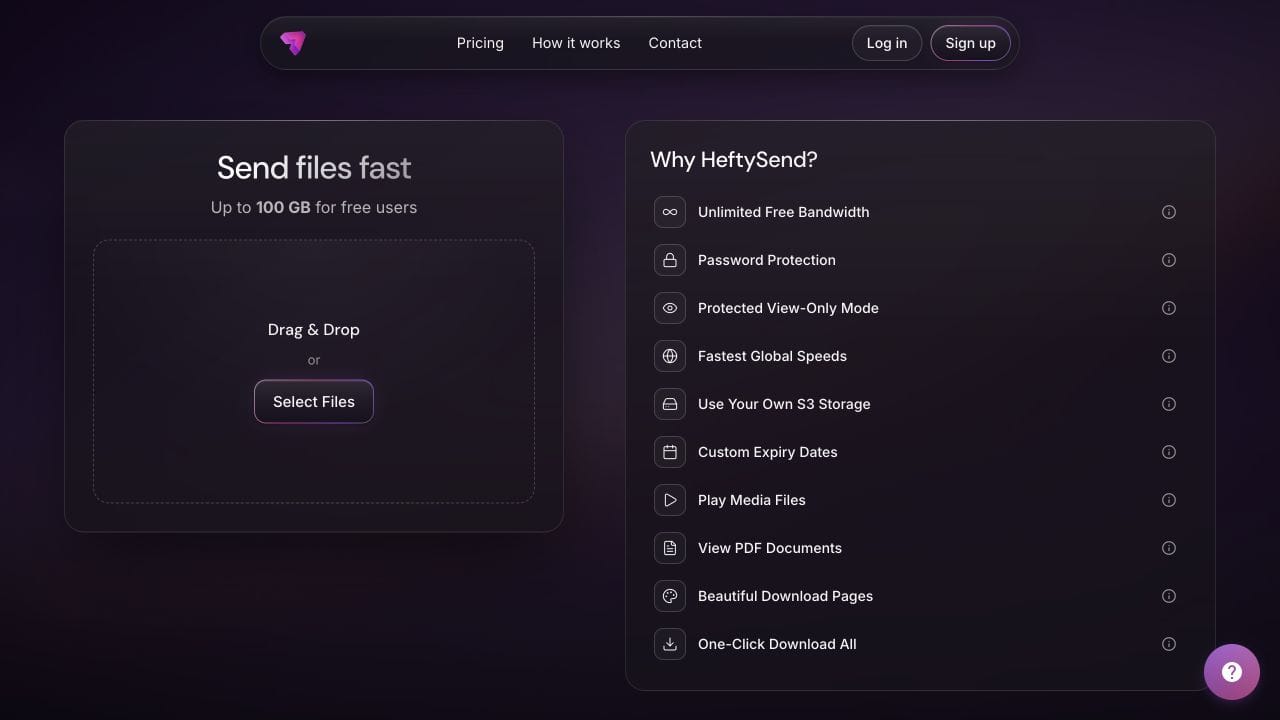
HeftySend Free currently allows up to 100 GB per transfer with three day expiry. Paid plans offer custom download pages and longer availability. Check the current HeftySend plan comparison for the delivery you need.
HeftySend does not charge for bandwidth usage. If you connect your own storage, your provider’s charges remain separate. Connecting a bucket for delivery does not automatically establish a second independent backup of that bucket.
Include the expected files and collection deadline in the delivery message. Our recipient instructions guide explains how to ask for confirmation that files are saved and readable.
Frequently asked questions
Does downloading my own transfer create a backup?
It creates another copy if the download completes. Whether that copy helps your backup plan depends on where it is kept, what it contains, its independence and whether you can recover it later.
Can the client’s copy be my only backup?
Do not assume you can retrieve it whenever needed. Agree responsibilities explicitly and maintain the recovery copies required for your own work. The client may rename, edit or delete what you delivered.
Does a checksum prove the whole project was delivered?
A matching checksum supports that a compared file matches its source. It does not prove you selected every required file, included project dependencies or supplied the approved version. Keep an inventory too.
Is synchronising a folder the same as backing it up?
Not necessarily. Check whether deletions and unwanted changes propagate, whether earlier versions are retained and how restoration works. The word sync alone does not answer those recovery questions.
What if the transfer expires but I kept a backup?
Recover and verify the required files from your retained copy, then arrange a fresh delivery. See the expired link and download troubleshooting guide for the recipient handover.
Should I keep only the final exported video?
That may cover a finished viewing copy, but it will not necessarily let you rebuild the edit. Decide whether future revisions require source media, project files and dependencies, then record what the archive actually includes.
Finish the backup checks before clearing source media, and finish the delivery checks before assuming the client has the work. HeftySend can handle the handover while your recovery plan protects the copies you need to keep.
Sources and product guidance checked on 31 October 2026. Examples are illustrative. No test transfer or backup test was performed for this guide.