Make a file delivery easier by sending one recognisable link, naming the files the recipient should expect and giving one download instruction at a time. Explain where the saved files will go and ask for confirmation that they open. HeftySend recipients do not need an account for a normal download.
You do not need to turn a delivery email into a computer lesson. A recipient who rarely downloads files usually needs a clear next step and a way to ask for help without feeling embarrassed. Start with what they want to do with the files, rather than how confident you think they are with technology.
What should you ask before sending the files?
Ask which device the recipient wants to use and where they want to keep the files. Those two answers let you send instructions that fit their situation.
“Would you like these on your phone or your computer?” is more useful than “Are you good with downloads?” A phone may suit a few photographs. A computer with enough space may suit a large archive. Ask whether they need the complete collection or just a few selected files before choosing the delivery method.
Give the files recognisable names and remove working versions that the recipient does not need. For a large photography delivery, use our guide to organising hundreds of photos. This guide focuses on the message and the conversation around the download.
How do you make the link feel familiar?
Send the link in an existing conversation and explain what the recipient will see before they open it. Name HeftySend, the project and the expected files.
A message such as “I am sending your family portraits through HeftySend; the page contains six JPEG photographs” gives useful context. Do not rely on a bare link or an unexplained attachment. If the delivery is unexpected, invite the recipient to confirm it with you through the contact method they already know.

Paid HeftySend plans offer custom download pages, so your delivery can use recognisable branding. Familiar styling can help explain the handover, but a logo alone is not proof that any link is genuine.
What should the delivery email say?
Use a short message that states what is ready, how to save it, when the link expires and how to get help. Replace every placeholder before sending.
Subject: Your six family portraits are ready
Hello [name],
Your six finished photographs are ready through HeftySend: [paste the completed transfer link]. You do not need to create an account or pay to download them.
Open the link, then use the download button beside each photograph to save it. Looking at a preview does not save the photograph. Please download the supplied files rather than taking screenshots.
Please save the photographs before [date, time and time zone]. They total [actual size], so your device needs enough free space.
Once the downloads have finished, open one saved photograph and reply to let me know you have the set. If you get stuck, tell me the last thing you see on screen and whether you are using a phone or computer. I can talk you through the next step.
This is an illustrative message for a small set of individual images, not a report of a customer transfer. Replace the download instruction if you are supplying a different format or a large collection. Avoid adding several alternative methods to the same short email unless the recipient asks for them.
Which download instructions should you give?
Choose one route that suits the actual delivery, then describe the buttons the recipient needs. HeftySend’s recipient download instructions explain individual file buttons, supported previews and the Download All option.
- A few files: tell the recipient to use the download button beside each named file.
- A collection packaged as a ZIP: explain that the ZIP is a container which must be opened after it finishes downloading. Confirm that the recipient is comfortable with that extra step.
- A large collection on a computer: the free HeftySend desktop app offers a folder download without a ZIP. Agree that approach first, because installing an app adds another step.
HeftySend’s generated ZIP download guide sets a 10 GB total transfer cap for Download All. That cap is separate from the upload allowance. Do not tell someone to use Download All without checking that the collection fits.
If a password is enabled, explain that the transfer page will ask for it. Use your agreed way of sharing the password. For a delivery the recipient must keep, check that you have not chosen a viewing restriction which deliberately prevents downloads.
How do you explain previews and screenshots?
A preview lets the recipient look at a supported file; a download saves a copy. A screenshot captures what was displayed on the screen and is not the supplied photograph.
For photographs, say: “Please use the download button to keep the image file I supplied. A screenshot is only a picture of your screen.” This explains the action without criticising the recipient. If you supply both print copies and smaller sharing copies, name the intended set rather than expecting the recipient to infer the difference.
Do not promise that downloading will improve the quality of an image you exported too small. The recipient receives the supplied file. Preparing suitable final photographs is the sender’s separate responsibility.
Where should the recipient look after downloading?
Start with the browser’s download list and the location chosen for the saved file. A finished download does not necessarily appear in the app where the recipient expects to view it.
On an iPhone or iPad, Apple’s guide to finding downloads points to the Downloads folder in Files. Safari also has a Downloads button for recent downloads. A photograph saved through the browser may need another step before it appears in Photos.
Apple Support’s video below shows how to find downloaded files on an iPhone or iPad. It is an operating system demonstration, not a HeftySend transfer test.
How should you help if the recipient gets stuck?
Ask what they can see now and give only the next relevant instruction. Avoid restarting the whole explanation when the download may already have finished.
“Can you see the list of filenames?” and “Does the browser say the download has finished?” separate different stages. Give the recipient time to answer. If they see an error, ask for its exact wording. Never ask them to ignore a security warning simply to complete the delivery.
If the link has expired or a download actually fails, use our recipient download troubleshooting guide. Keep passwords and private details out of any screenshot they share for help.
How does HeftySend simplify the handover?
HeftySend provides a shareable download link, supported file previews and downloads without a recipient account. You can explain the handover without first asking the recipient to join a shared workspace.
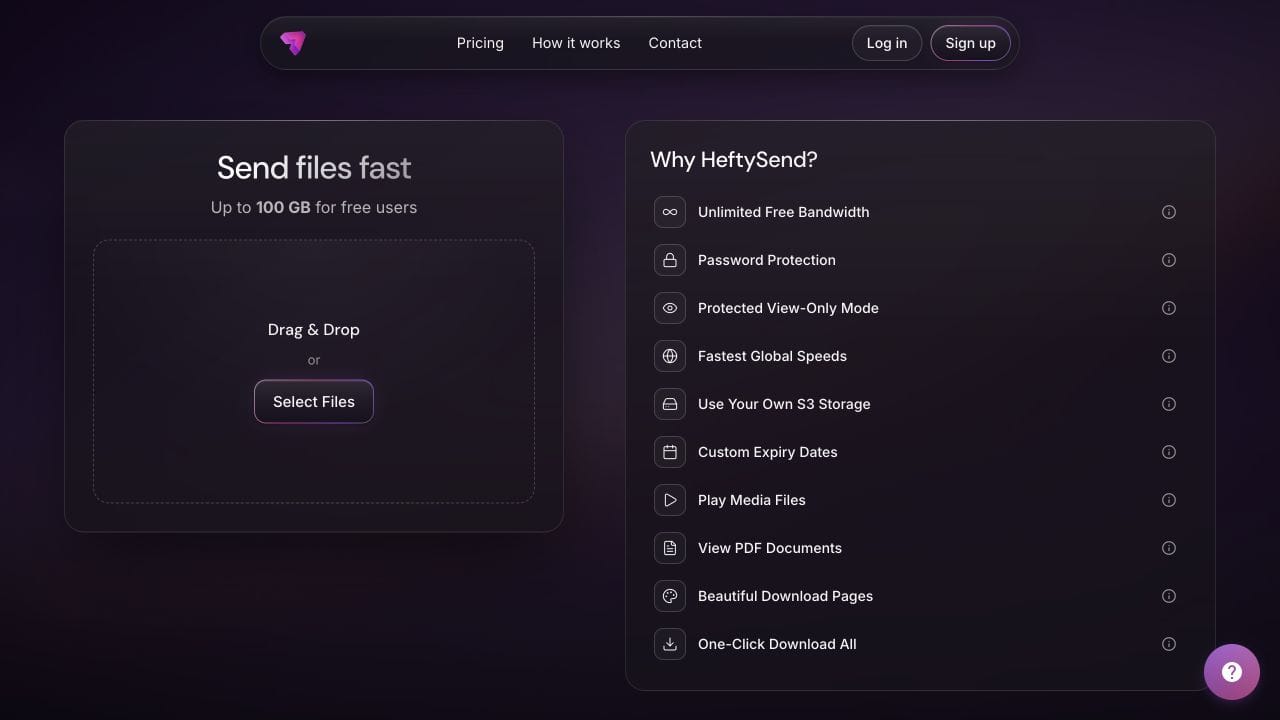
HeftySend Free currently supports up to 100 GB per transfer with three days of availability. Arrange the sending time so the recipient can collect the files, and state the actual expiry. Check the current HeftySend plans if you need longer availability or a custom download page.
HeftySend does not charge for bandwidth usage. If you connect your own storage, your provider’s storage, request and delivery charges remain separate.
Frequently asked questions
Should I describe the recipient as a beginner?
There is no need. Ask about the device and the intended result, then offer clear instructions without labelling their ability.
Should I send a video instead of written instructions?
Offer a relevant video when the recipient wants it, but keep the essential steps in the message. Written instructions let them work at their own pace without switching between playback and the download page.
Can someone else help the recipient collect the files?
Agree that with the recipient first, especially for private files. Do not assume that forwarding the transfer link to a helper is appropriate.
What if the recipient will be away for several days?
Arrange a later sending date or choose suitable availability before creating the delivery. A larger transfer allowance does not extend the collection deadline.
Is opening the link enough to confirm delivery?
No. Ask the recipient to confirm that the files are saved and that a saved file opens. A page view alone does not establish that they have kept the delivery.
Should the recipient delete the message afterwards?
Keep the delivery details until the files are safely stored and any questions are resolved. Retain your own source copy and normal backups too; a temporary transfer link is not a permanent archive.
A helpful delivery message gives someone a manageable next step. Choose the files and collection method, explain what to expect and finish with a simple confirmation that the saved copy works.
Product guidance checked on 23 October 2026. The message is illustrative. No test transfer was performed for this guide.