Send hundreds of photos as one clearly named collection with consistent filenames, an accurate photo count and a short contents note. Choose loose images for convenient previews, or labelled archives when keeping groups together matters. Give the recipient a collection deadline and a download method suited to the total size.
A link containing 700 pictures can still be confusing if every filename looks the same. The useful work happens before you upload: decide what belongs in the delivery, separate versions and make it obvious how to collect the complete set.
How should you organise a large photo collection?
Group the finished photos by a category the recipient recognises, such as day, location or subject. Use only as many groups as the collection needs.
For an event delivery, three groups called Arrival, Sessions and Portraits are easier to explain than a mixture of camera card names. Keep rejected frames, working files and unrelated private images out of the delivery copy. If the recipient needs camera originals for editing, follow the separate RAW photo handover guide.
Keep one version for each agreed purpose. If you supply both full size images and smaller sharing copies, identify those sets explicitly. Do not put both versions in one undifferentiated list and ask the client to guess which to use.
What filenames make hundreds of photos easier to collect?
Use a short collection name and a consistent number with leading zeros. Keep the same image number across alternative exports so the recipient can identify matching photographs.
For example, Conference_0001.jpg through Conference_0700.jpg is a proposed naming scheme, not an actual customer delivery. A separate sharing export could use Conference_0001_Sharing.jpg. Keep names unique across the whole delivery, especially when combining photographs from several cameras.
Numbering helps readers refer to an image and sort by filename. It does not guarantee the order shown by every preview or photo application. Check the recipient’s preferred order before renaming a finished set.
If you use Lightroom Classic, its export workflow lets you choose the destination and export settings. Export a delivery copy and retain your working originals. There is no universal image size that suits both printing and quick sharing.
How much space will the collection need?
Measure the prepared files together. Photo count alone does not tell you whether the collection fits the transfer allowance or the recipient’s free storage.
Here is an illustrative 700 photo delivery, using decimal units. The averages are assumptions for planning, not measured results or recommended export settings.
| Group | Photos | Assumed average | Approximate size |
|---|---|---|---|
| Arrival | 100 | 8 MB | 0.8 GB |
| Sessions | 400 | 8 MB | 3.2 GB |
| Portraits | 200 | 8 MB | 1.6 GB |
| Total | 700 | 8 MB | 5.6 GB |
If the same 700 photographs averaged 20 MB, they would total about 14 GB. Add notes, extra exports and any duplicate archives before checking the actual size. When using ZIP files, allow space for both the downloaded archive and its extracted contents.
Should you send loose photos or a ZIP?
Send loose photos when the recipient benefits from supported previews and individual downloads. Use a prepared ZIP when keeping a named group together is more important.
- Loose images: useful when the client wants to recognise or collect particular photos. Explain how to download the complete set too.
- One archive: useful when everyone needs the same complete package and can extract it.
- A few named archives: useful when recipients need different groups or smaller individual downloads. State the count and purpose of every archive.
ZIP packaging does not replace choosing appropriate photo exports. Do not expect already compressed JPEG files to become dramatically smaller. For the detailed packaging and extraction checks, use our complete folder delivery guide.
MacMost’s video below demonstrates creating and opening ZIP files on a Mac. It is an operating system tutorial, not a HeftySend transfer demonstration.
How can the recipient download hundreds of photos?
Choose the collection method before sending the link, rather than leaving the recipient to click hundreds of files individually.
HeftySend’s Download All ZIP tutorial sets a 10 GB total transfer cap for the generated archive. The illustrative 5.6 GB collection is below that cap; the 14 GB collection is above it. This is separate from the transfer size allowance.
For a large collection, the free HeftySend desktop app for Mac and Windows can download every file into a chosen folder without creating a ZIP. Recipients paste the transfer link and choose where to save the files. No account is needed to download. The published app guidance describes resumed downloads after interruptions and checksum checks for each file.
Individual browser downloads remain useful when someone needs only a few images. If the client is collecting on a phone, send the relevant iPhone photo collection instructions and check that their device has enough storage. Do not assume that viewing a preview saves the photograph to their photo library.
How do you deliver the organised collection with HeftySend?
Prepare the final files, upload the intended collection and share its completed link with the contents note and deadline.
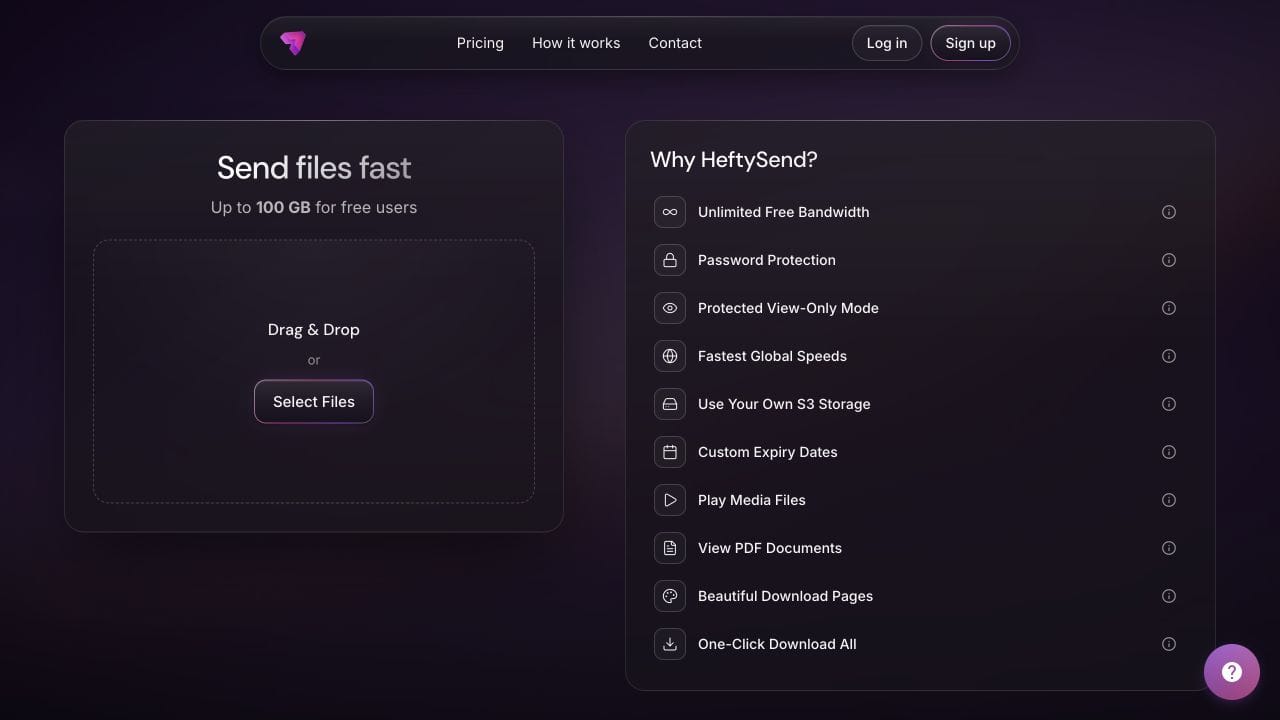
HeftySend Free currently allows up to 100 GB per transfer with three days of availability. The 5.6 GB and 14 GB examples both fit that size allowance, but their collection methods differ. Check the current HeftySend plans and the expiry shown for your transfer.
HeftySend does not charge for bandwidth usage. Supported previews help recipients recognise images before downloading, while paid plans offer custom download pages for a recognisable client delivery. If you connect your own storage, the provider’s storage, request and delivery charges remain separate.

What should the collection message say?
State the photo count, total size, versions, download method and collection deadline in one short message.
Your conference collection contains 700 finished photographs, about 5.6 GB in total. The groups are Arrival, Sessions and Portraits. These are the full size delivery copies.
Please download the complete collection before [date, time and time zone]. You can use Download All for this collection or the free HeftySend desktop app on a Mac or Windows computer. Previews are for browsing; please save the supplied files.
Once downloaded, check that the 700 photographs are present and open a few from each group. Please confirm that you have saved the collection, or send me the filename and error message if something is missing.
Replace every example detail with the actual delivery. Keep a source copy and your usual backups; a temporary collection link is not your only archive.
Frequently asked questions
Does one delivery have to mean one ZIP?
No. One transfer link can contain multiple supplied files. Choose loose images or clearly labelled archives according to how the recipient needs to collect them.
Should I restart numbering in every group?
A continuous sequence makes references clearer when files may be collected into one folder. If each group restarts at 0001, include the group name in each filename to keep names unique.
Will a matching photo count prove everything is correct?
No. A duplicate or wrong version can replace an intended image without changing the count. Check names and representative files as well as the total.
Can I include smaller sharing copies too?
Yes, when they are useful and agreed. Label their purpose, keep them separate from full size copies and count both sets towards the total transfer size.
What if the recipient only wants one group?
Tell them which filenames or supplied archive contains that group. A few named archives can be easier to collect selectively than one large archive containing everything.
What if the recipient needs longer than three days?
Arrange a suitable sending date or choose a plan with longer availability. Confirm the actual expiry before sending, rather than assuming that fitting the size allowance also makes the deadline suitable.
Ready to send an organised photo collection?
Give your recipient recognisable groups, unambiguous filenames and one clear collection message. HeftySend can then provide the link, supported previews and download options that make the handover easier.
Product details checked on 21 October 2026. Counts and file sizes are illustrative. No test transfer was performed for this guide.