Ask which files the client needs, check the original handover record and confirm who may receive them. Give a time for your next update while you search. Once you know which files you can recover and open, offer a fresh delivery, describe any gaps or explain that you could not locate a copy.
“Could you send the film again?” sounds straightforward until you find three exports from the same shoot. One has temporary music, one has an old price on the end card and the third is a smaller copy for the client’s website. Two years later, the most useful clue may be the filename in the approval email.
What should you ask before searching the archive?
Ask for the project name, approximate delivery date and the exact item they want. A filename, old delivery email or screenshot of the opening frame can narrow the search. Find out whether they need the film they received, a different export or the editable project. Each request sends you looking for different files.
Confirm the recipient through a contact or channel already associated with the project, especially if someone new is asking on the company’s behalf. Check your handover notes for the promised retention period, contents and retrieval terms. If you agreed a fee or need the client to approve search time, settle that before starting chargeable work. Our file delivery estimate worksheet can help you describe the work.
Thanks for getting in touch. Do you need the approved launch film with captions, or the project for a new edit? If you can forward the original delivery note, I can match the version. I’ll check the archive and update you by Thursday afternoon.
How do you find and verify the right copy?
- Start with the delivery record. Note the approved filename, version, file size if recorded, and what was included. Use the old link or email as a search clue. An expired HeftySend transfer cannot supply a replacement copy. See what happens when a HeftySend link expires.
- Check likely locations in order. Search the project index for the job number, then check the delivery folder, archive volume and retained backups. Use the project name from the time of the job. The client may since have renamed the campaign. Record which locations you checked and which you still need access to.
- Recover a working copy. Preserve the archive and protect any newer files at the destination. For example, Apple explains that a normal Time Machine restore returns an item to its original location. Check what is already there before restoring. Follow Apple’s instructions for restoring individual items if that is how the job was backed up.
- Match the contents to the request. Open the recovered copy. For a film, check the running time, captions, end card and audio against the approval record. If you recorded a checksum when you delivered the file, compare it with the recovered copy. For an editable project, check that linked media is available. A project file can open with clips still missing.
AppleVis provides a spoken walk through of retrieving one file with Time Machine and VoiceOver. It illustrates the recovery step for a Mac archive. The approval email or delivery list still tells you which version belongs in the client’s package.
What can you say if you find all, some or none of the files?
Tell the client exactly what you located and what you verified. The following replies use an example launch film. Replace the filenames, dates and checks with the facts of your job.
You found the approved copy.
I found the captioned launch film and matched its end card and running time to your approval email. I can send the MP4 to the production address we confirmed. Would Tuesday through Thursday give your team enough time to collect it?
You found only part of the request.
I found the finished film with captions. The editing project opens, but the interview audio it references is missing from the archive. I can send the finished film today. If your editor has the original audio folder, we can check whether it completes the project.
You checked the available records and found no copy.
I checked the delivery folder and the archive listed for the launch project. I couldn’t locate the approved export in either. The original handover email lists Launch_Captions_v3.mp4. Your production team may be able to search its downloads or shared storage for that name. If someone finds a copy, I can help identify the version.
If a drive is still off site, say when you can check it. Reserve the final reply for a completed search. If the only candidate is an earlier cut, describe the difference and let the client decide whether it is useful.
How should you send the recovered files?
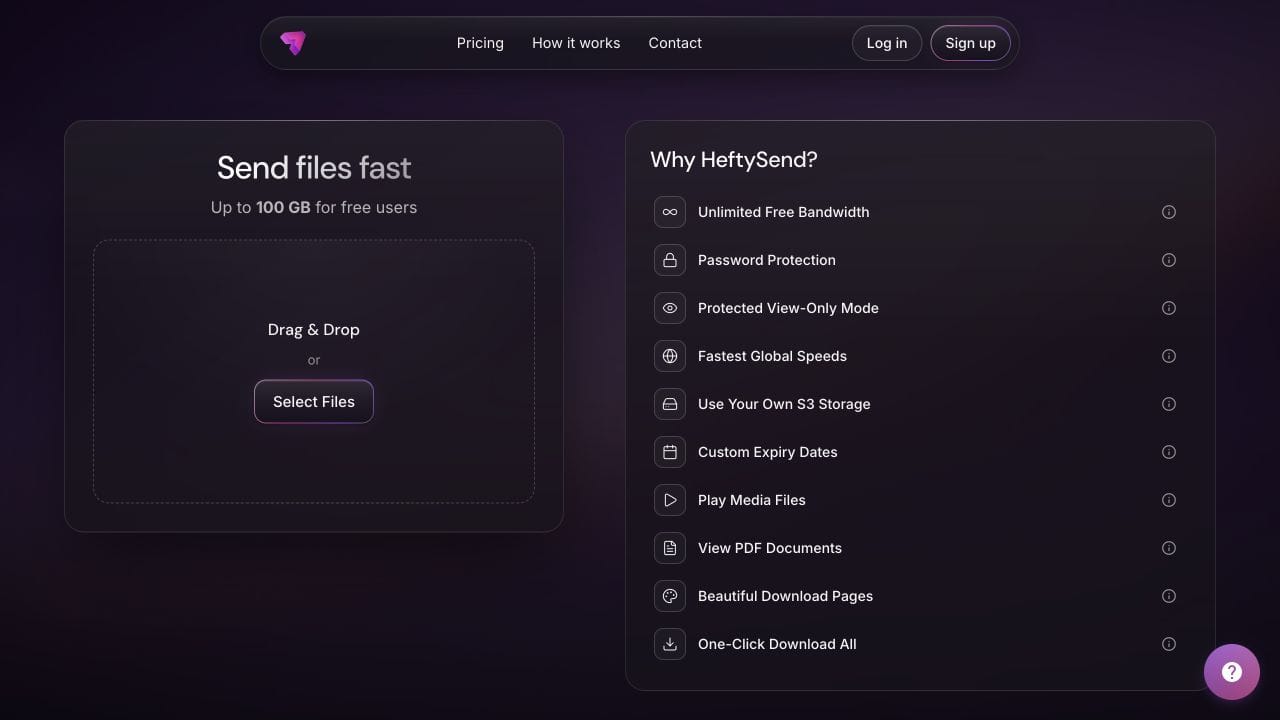
Create a fresh package containing only the agreed items. Include a contents list, any known omissions and the collection deadline. HeftySend previews let the client recognise supported images, video and audio before downloading. Ask them to save and open the files while the link is active.

HeftySend Free allows up to 100 GB per transfer with three days to collect. Recipients can download without an account. Paid plans offer custom download pages where you can include collection instructions. HeftySend charges no bandwidth fees. If you connect your own storage, your provider may charge for storage, requests or delivery. Check HeftySend plan limits and expiry options before promising a collection window.
Keep a record of what you sent, who received it and when they confirmed collection. If the client wants future retrieval, agree which files you will retain and for how long. The guide to transfers, backups and archives explains how to plan those copies.
Frequently asked questions
Does a request two years later mean I should still have the files?
Check the retention arrangements for that job. Look for the promised contents as well as the date. An agreement to keep a finished film may say nothing about retaining rushes or a working edit.
What if the client has only a small web copy?
Ask for its filename and running time to help identify the approved cut. If it is the only version available, describe its size and quality before offering it for another use. A web export cannot recreate discarded source detail.
What if the archive contains work for several clients?
Copy the approved items into a clean delivery folder. Review its contents before making the link. Keep the archive drive and its top level folders private.
Can I charge for restoring a project from offline storage?
Check what the original fee covered. If additional retrieval work or storage fees apply, explain the amount or agreed limit and whether it covers the search even if you find nothing. Get agreement before incurring the expense.
What if the client wants changes to the recovered file?
Confirm the old version first, then scope the new edit. Keep the recovered original intact and give the revised export a distinct version name so both parties can tell them apart.