Footage that looks flat and grey may be an ungraded log recording, or it may be displayed with the wrong colour interpretation. That appearance alone does not prove the transfer damaged it. Compare the actual downloaded file with the source in the same application, then supply a clearly labelled viewing copy if the client needs to judge the finished look.
A client opens your delivery and asks why the colours have disappeared. Before uploading the whole shoot again, establish what you sent and what they are watching. Camera originals, an editing timeline and a finished viewing export can show different things.
Why can camera footage look flat before editing?
Log footage can look deliberately low in contrast and saturation before the intended colour processing is applied. Sony explains that its log recordings are intended for grading after capture. See Sony's explanation of grading.
That makes an ungraded camera clip a poor substitute for a finished client preview. An editor receiving source footage may expect it. A client approving a film may reasonably expect a viewing copy that already shows the intended appearance.
Do not diagnose every pale image as log footage. Check the recording settings or ask the camera operator. The wrong export, colour settings or viewing environment can also produce an unexpected result.
How can you separate a viewing problem from a delivery problem?
Compare like with like before changing the files. A screenshot from the client and your editing monitor are not enough to establish that the downloaded bytes changed.
- Identify the file. Ask for the exact filename, the application and whether the client is watching a browser preview or a saved download.
- Check the intended source. Open the actual file you uploaded. Do not compare a camera original with a graded timeline or a different export.
- Compare the saved copies. Check the byte size and, where available, a matching checksum. Matching size alone is not proof of identical contents. Compare the source and received copy in the same application with the same settings.
- Follow the evidence. If both copies look the same, investigate the intended colour treatment or viewing setup. If the download is incomplete or verification fails, investigate delivery before applying a colour correction.
For files that fail to open, use our video playback and delivery guide. An unsupported format and an unexpected appearance are different symptoms.
Should you add a LUT to make it look normal?
Only after confirming the source and the colour processing already in use. A LUT is a lookup table, and a technical conversion must match its expected input and output. A creative look is not automatically the right conversion for an unidentified camera clip.
Adobe's clip colour management instructions explain that Premiere can identify colour metadata, but missing or unreadable metadata may require an explicit input colour space. The same controls include an Input LUT option. Check the documented workflow for your installed version rather than adding a transform blindly on top of existing processing.
The sender or editor should make this decision. Do not ask an ordinary client to buy a LUT pack just to review a delivery. Preserve the camera originals and create a separate viewing export with the agreed appearance.
Christian Maté Grab's demonstration shows one approach to grading Sony log footage. It includes promotion of his LUTs; buying them is not required for this handover advice. Watch how he treats the source image as material to grade, rather than as a finished client export.
What should you send to the client?
Send a viewing copy for judging the look, and originals only when they are part of the agreed handover. Keep the two purposes obvious in the filenames and delivery note.
- Viewing copy: a checked export for watching or approval, with the intended colour treatment applied and a format suitable for the recipient.
- Camera originals: unchanged source media for further production, with the known recording profile, colour space and any required camera folder structure.
- Delivery note: the version, purpose of each package, whether the look is final and who will handle further colour work.
For an illustrative interview delivery, use Interview_Viewing_v02.mp4 for approval and a separate CameraOriginals folder for the editor. These are example names, not files we tested. If only the viewing copy was requested, do not add a confusing folder of ungraded originals without explanation.
Please use Interview_Viewing_v02.mp4 to review the edit and current look. CameraOriginals contains ungraded source footage for further production and may appear flat in an ordinary player. The colour treatment in the viewing copy is for review, not final approval. Please confirm which filename you are viewing if anything looks unexpected.
Replace the example's review status with the real status of your project. Our review and final version guide explains how to keep approval separate from delivery.
How does HeftySend help keep the delivery clear?
Use separate, clearly described packages when viewing copies and originals have different audiences. HeftySend supports media previews for supported files, so recipients can identify a viewing copy before downloading. A preview does not establish that a camera format has been interpreted with the intended colour settings.

HeftySend Free allows up to 100 GB per transfer with three day expiry, checked on 13 November 2026. Recipients do not need an account. HeftySend does not charge bandwidth fees; if you connect your own storage, its provider charges remain separate.
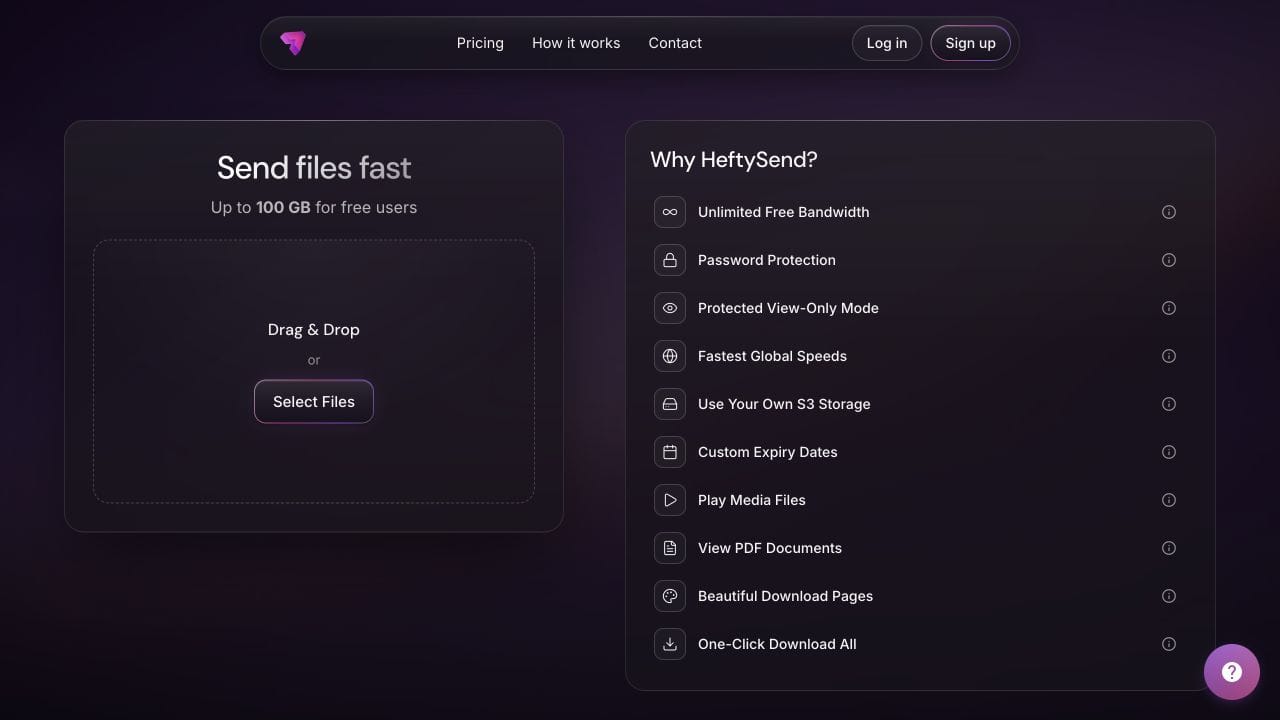
For larger originals or a longer collection window, Premium supports up to 1 TB per transfer and expiry up to 365 days with included storage. Paid custom download pages let you present the package with your own instructions and styling. Check current plan details before choosing.
Frequently asked questions
Does converting a clip to MP4 fix its colour?
Not by itself. MP4 describes a container. The colour processing and export settings determine the resulting image. Check the exported file before delivering it.
Are log footage and RAW footage the same thing?
No. Do not use the words interchangeably in a handover. Record the actual camera format and profile so the editor can choose the appropriate processing.
Should I overwrite the originals with corrected copies?
Keep the originals unchanged. Supply a separately named viewing export or agreed processed master so the recipient can distinguish source material from finished output.
What if only the browser preview looks different?
Download the file and compare it in the agreed application. Record the browser and device if the difference persists only in the preview. Do not infer damage from that difference alone.
Can the same file look different on two screens?
Yes. Display settings and the viewing application can affect appearance. Agree how the client will review the image before making corrections based on a screenshot from an unknown setup.
What should I ask when the client says the colours are wrong?
Ask for the filename, device, application and whether they downloaded the file. Then confirm whether they expected an ungraded original, a review copy or an approved final export.
Give the client the right viewing copy and keep the production originals clearly identified.