Deliver the approved video, a matching caption file for each agreed language, and any requested version with captions permanently visible. Define what “clean” means before exporting, label every file with the same edit version, and check the captions against that exact video before sharing the package.
A client asking for “the video with subtitles and a clean version” may need several different files. The useful handover is a small, clearly explained package that tells them which video to publish and which caption file belongs with it.
What does the client mean by a clean version?
Confirm which elements must be absent. A video without visible captions can still contain titles, logos, lower thirds and an end card. A version for localisation may need those graphics removed too. “Clean” is not a complete delivery specification.
Ask where the video will appear, which languages are required, whether viewers should be able to switch captions off, and who will upload the final files. Agree the video format, aspect ratio and audio requirements alongside the text deliverables.
For example, “clean picture with the approved English mix, logo and end card retained, but no visible subtitles” is much clearer than “clean master”. Put that definition in the delivery note.
Which caption and video files should you include?
Choose the files the destination actually needs. Three common delivery forms serve different purposes:
- A separate caption file: a sidecar such as SRT accompanies the video. The recipient imports it into a compatible publishing platform or player.
- A video with captions burned into the picture: the text is permanently visible. The viewer cannot switch it off.
- A video with an embedded caption stream: text travels inside a supported output format and can be selectable in compatible playback software. This is different from burning text into the image.
Adobe’s caption export reference distinguishes those options and notes that embedded captions are available only for certain formats. Do not assume an ordinary MP4 contains selectable captions simply because the editing timeline did.
Also agree what the text contains. Names vary by region, but captions for accessibility need the relevant speech and meaningful sound information, not just a translation of dialogue. The W3C caption guide explains that distinction and why automatic text needs accuracy checks.
What would a complete delivery inventory look like?
Here is an illustrative English and French delivery for one approved edit. It is a naming example, not a package we uploaded or tested.
LaunchFilm_v04_Clean.mp4: the agreed video without visible subtitles, with the approved mix and retained graphics described in the note.LaunchFilm_v04_en.srt: reviewed English captions timed to that exact video.LaunchFilm_v04_fr.srt: reviewed French subtitles for the same edit.LaunchFilm_v04_EN_Open.mp4: the requested English version with captions permanently visible.DeliveryNotes_v04.txt: file purposes, language labels, video duration, frame rate, collection deadline and the person responsible for publishing.
If the client also needs a production master, include the agreed master format separately and label its purpose. Our video delivery guide explains viewing copies, masters and playback compatibility.
Keep the edit version consistent across the video and caption filenames. If a later edit adds an opening card or cuts a sentence, revisit the caption timing. A matching filename is a useful label, not proof that the timing matches.
Should you deliver SRT or another caption format?
Use the publishing destination’s specification. SRT is useful for a straightforward text and timing handover, but it is not a promise that typography, position or styling will survive everywhere.
For YouTube, its supported caption file guide says basic SRT is accepted as plain UTF-8 text and styling markup is not recognised. Confirm a different destination’s requirements rather than applying YouTube’s rules to every player.
If the client requests WebVTT, a broadcast caption format or embedded captions, confirm the exact output before exporting. Renaming an SRT file’s extension does not convert its structure into another format.
How do you export the right versions from Premiere?
In Premiere’s Export workspace, review the caption export choice for the intended sequence. Use a separate sidecar for a caption file, burn captions into a dedicated visible text version when requested, or use a compatible embedded option when the delivery specification calls for it. Adobe’s caption track export guide also covers multiple enabled tracks.
Export the clean video with the intended caption visibility and graphics settings checked. Turning off caption export does not remove text that is already part of the picture or a separate graphic. Open the resulting file to confirm what is actually visible.
For a multilingual package, Adobe Care’s demonstration below covers translation and includes an export chapter at 1:17. Use it to understand the track workflow, then review the exported language files yourself. Automatic translation does not establish that the wording is ready for your client.
What should you check before sending the package?
Review the exported files, not only the editing timeline. Open the exact video and load its matching caption file in the intended player or publishing preview where possible.
- Check wording, names, punctuation and any required sound descriptions. Have translated text reviewed by someone competent in the language.
- Check synchronisation at the beginning, middle and end. Look for captions that drift, appear before speech or remain after it finishes.
- Inspect the visible caption version at its intended viewing size. Check line breaks and whether text covers important picture information.
- Confirm the clean version meets the agreed definition and that its audio is present.
- Count the final files and remove superseded drafts from the delivery package. Keep your own source and backup copies separately.
A shorter social edit needs its own checked caption timing. Do not reuse the full film’s sidecar unchanged just because the spoken words came from the same recording. See our version handover guide for keeping revisions clear.
How do you send the whole package with HeftySend?
Collect the approved videos, caption files and note into one clearly named delivery. Use the filenames to make each item’s purpose obvious, and give the client an inventory in the message. Our folder delivery checklist helps you check that supporting files have not been left behind.
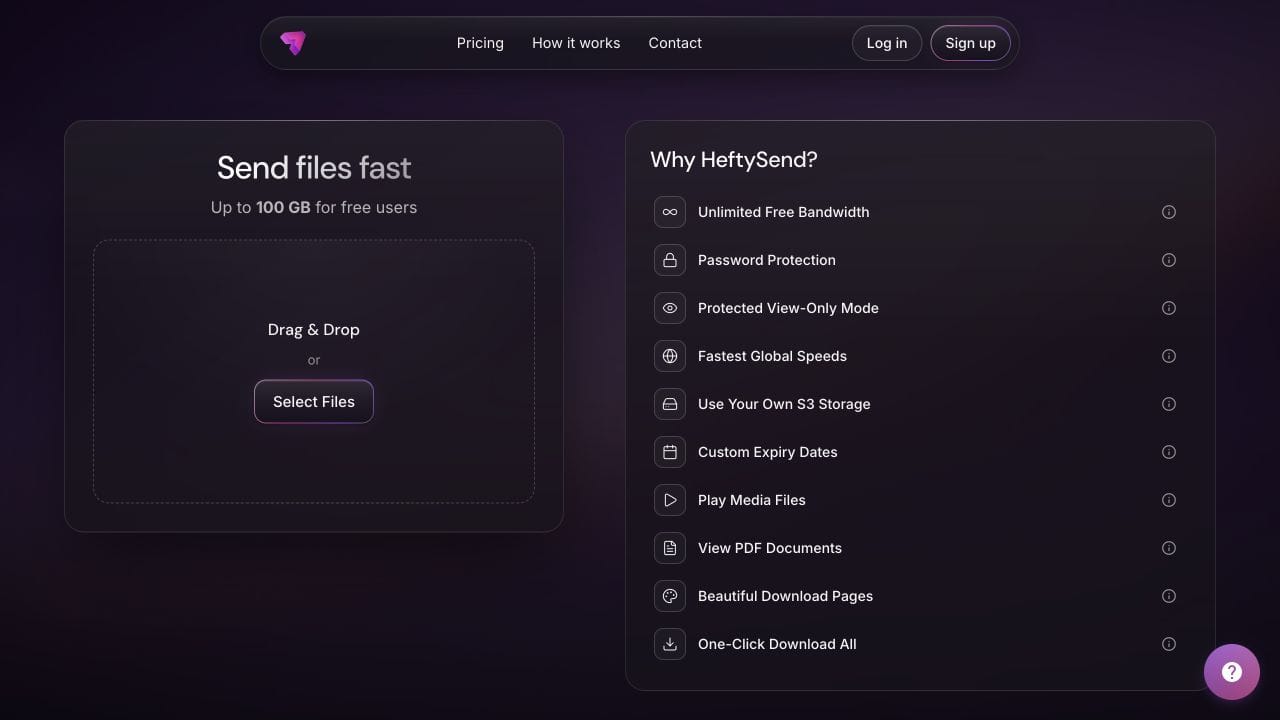
HeftySend Free supports up to 100 GB per transfer with three day expiry. Recipients do not need an account to download. Supported media previews help clients recognise a video, but you should not assume a separate caption file will automatically appear over a transfer page preview. Ask the client to check the video and captions together in the destination player.
Paid custom download pages let you present the handover with your own branding and instructions. Premium supports up to 1 TB per transfer and expiry up to 365 days. Check the current HeftySend plans for the size and collection period you need.

HeftySend does not charge for bandwidth usage. If you connect your own storage, that provider’s storage, request and delivery costs remain separate. Keep your master and caption sources after delivery according to your agreed retention arrangements.
What should the client’s delivery message say?
Make the publishing instructions as explicit as the filenames. Adapt this illustrative note to the actual files and deadline:
LaunchFilm v04 is ready. Use the Clean MP4 with the matching English or French SRT in your publishing platform. The EN Open MP4 already has English captions visible, so do not add the SRT over that version. The delivery note defines the retained graphics and lists every file. Please download the package before the stated expiry and confirm the video, sound and chosen caption track work together.
Ask for confirmation of the package, not just the link. A successful download does not establish that the client selected the intended video or loaded the right language.
Frequently asked questions
Is a transcript the same as a caption file?
No. A readable transcript may contain the words without the timing needed to display them alongside a video. Deliver the requested timed format as well when the client needs playback captions.
Can viewers switch off captions burned into the picture?
No. Supply the separate clean version if the client needs a video without that visible text. Turning a player’s caption control off will not remove text already in the image.
Why are captions appearing twice?
Check whether the video already contains visible captions and the player is also displaying a separate caption track. Use the intended clean video with the sidecar, or the visible caption version without a duplicate overlay.
Should every language have its own file?
For a sidecar delivery, clearly separate and label the agreed language files. If the destination requests one embedded package instead, follow its supported track and format specification.
Can I correct only the SRT after delivery?
If the picture and timing are unchanged, a corrected sidecar may be enough. Tell the client exactly which file it replaces. A version with captions burned into the picture needs a new video export for visible text corrections.
Does a file transfer create captions for me?
This workflow uses your editing or captioning software to prepare the files. HeftySend delivers the package you provide. Include the checked caption files and clear instructions before sending.
Give your client one understandable package with the right video, matching text and a clear publishing instruction.